How to criticise someone’s work

I had a thing the other day where someone was so gleeful about how much she disliked my work that I imagined her rolling up her sleeves to dive in, I imagined she was going to take the skin off my arms – and I knew the piece would be improved for it. I was ready to bleed to make that piece better.

And unfortunately that didn’t happen. Most of her comments were clever and useful, but none were worth the glee. Most peculiar. Very disappointing. Quite fascinating.

I was happy with the glee if it got me the blood but there are ways to avoid both and Brain Pickings has featured one good ‘un. According to the Brain Pickings site, philosopher Daniel Dennett, says:

You should attempt to re-express your target’s position so clearly, vividly, and fairly that your target says, “Thanks, I wish I’d thought of putting it that way.
You should list any points of agreement (especially if they are not matters of general or widespread agreement).
You should mention anything you have learned from your target.
Only then are you permitted to say so much as a word of rebuttal or criticism.

How to Criticize with Kindness: Philosopher Daniel Dennett on the Four Steps to Arguing Intelligently – Maria Popova, Brain Pickings (28 March 2014)

Dayflow productivity app (briefly) free

This isn’t for me, but it may well be for you: Dayflow is for alloting time to specific tasks or goals. The example given is that you want to read for an hour every day. So you set that up and this app reminds you to do it, then tells you when you have.

I’ve been thinking about allotting time to particular projects so that I did keep them going, tootling along, so I’ve grabbed the app while it’s free. Usually Dayflow costs either 69p/£1.99 UK and 99c/$2.99 US so if it’s right for you, it’s bargain even if the brief sale is over by the time you click just about here.

David Sparks’ Presentation book now out

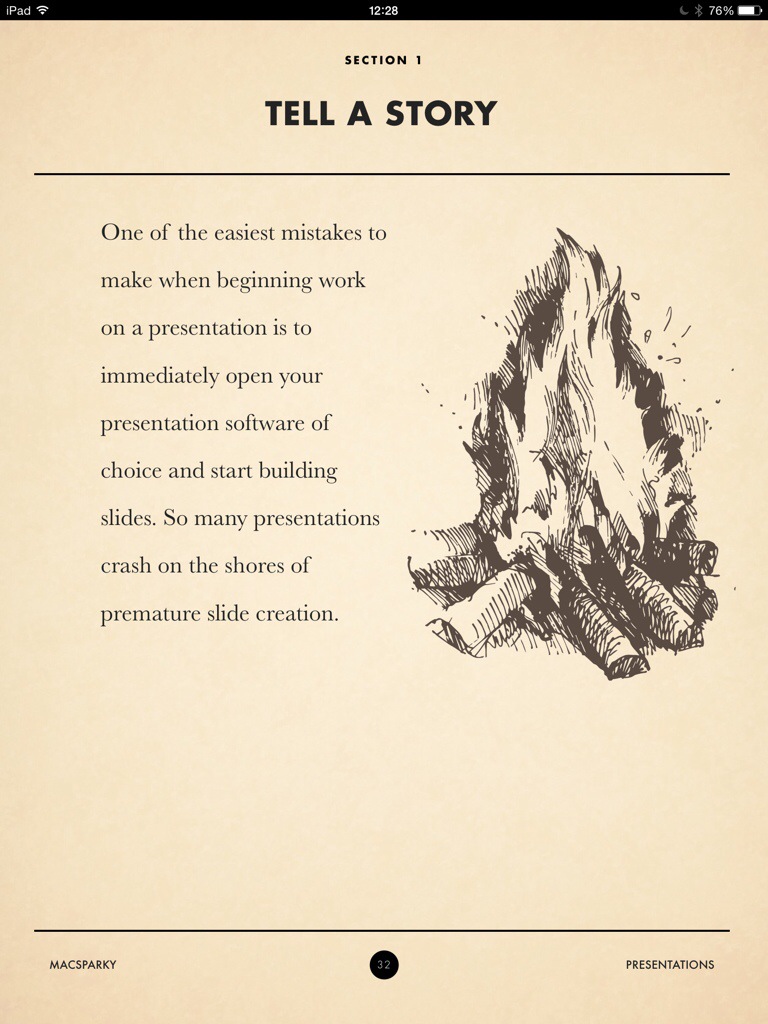
This book was released sometime overnight, I got it around 8am, I’m maybe a third of the way through the text – I’ve not looked at the many videos yet – and I have a complaint.

He’s so persuasive about preparing your presentation before you ever go near Keynote or PowerPoint that I resent the bejaysis out of him. I have one presentation to give tonight and three tomorrow. I wanted a quick fix! I wanted a magic sauce!

I do have the very smugly gratifying fact that a few of the things he says I do already swear by. So it’s not as if my talks this week will be bad, exactly. God, I was nervous enough already, thanks a bunch for this. But I do also recognise and am persuaded of how they could be better. So you just wait for next week’s talks.

Presentations: A MacSparky Field Guide is now out in the iBooks Store (and only the iBooks Store) for a truly ridiculously cheap £5.99 UK or $9.99 US.

This week’s MacPowerUsers podcast is all about the book and the topic of presentations so you can get a good idea of whether you’ll like the book from that. But, spoiler alert, you will.

20140721-123802-45482250.jpg

Using the ‘Side Hustle’

I’m not sure about this but I think I’m just thrown by the title.

Jullien Gordon speaks at TEDx about the importance of the side hustle. Now, sometimes it’s hustlers, sometimes it’s hustlas, and he does define his term right at the start of the video. But that definition is a bit wide. A hustler/hustla (delete as applicable) is someone who is a bit entrepreneurial.

However, I really like his next term: the definition of income, he says, is not how much you earn but how much you have left over at the end of the month. That’s smart. That’s what got me listening to the rest. See what you think, would you?

UPDATE: there’s a problem with embedding video for some reason. While I look into it, if the video below doesn’t work for you, try the direct YouTube link: http://youtu.be/N10gHr58qqM

Free (and paid) week planners for creative people

The site Productive Flourishing makes a good point:

After years of struggling with the planners designed for and by office workers, I figured out that it wasn’t me that was the problem: it was the design of the planners.

Creative people approach their work differently. Most of us don’t work 8–5, and we don’t have projects that we can plan to get done during the same times each day. The limiting factor for us is not the amount of time we have available, but rather the type of time we have available.

One size does not fit all when it comes to planners. Check out the planners below to see which ones best relate to what you’re trying to do, and give them a try!

Free Planner – no credited author, Productive Flourishing (undated but July 2014)

And here’s an example of what one such plan looks like. This is a month’s action plan:

20140720-205100-75060849.jpg

The full article contains very many such free planners but also links out to a set of paid premium ones.

Make your kids be more interesting

Sorry, this is not how to do that, it’s why you should – and how in this day of everyone studying for exams yet not learning anything, being interesting gets you through doors. In this case, The Atlantic magazine specifically means through the doors at Harvard, but the principle works everywhere:

“We could fill our class twice over with valedictorians,” Harvard President Drew Gilpin Faust told an audience at the Aspen Ideas Festival, sponsored by the Aspen Institute and The Atlantic, on Monday. That means admissions officers rely on intangibles like interesting essays or particularly unusual recommendations to decide who comprises the 5.9 percent of applicants who get in.

Faust’s top tip for raising a Harvard man or woman: “Make your children interesting!”

For parents and students alike, that’s both good news and bad news. The bad news is that of course it’s much easier to say that than to actually make it happen, though Faust recommended encouraging children to follow their passions as a way to develop an interesting personality. It’s much easier to complete a checklist, however daunting, than to actually be interesting.

How to Get Into Harvard – David A Graham, The Atlantic (30 June 2014)

There’s not a great deal more to the full article but I found it an encouraging read.

A better – lovelier – Lorem Ipsum

Maybe you have a classical education and lorem ipsum brings back memories to you. Probably more likely, though, is that you’ve seen it in word processor and page design software where it’s used everywhere as sample text. The words fit designs better than “abcdefg” or certainly “xxxxxx” would.

It’s so common that if you have the right version of Microsoft Word, open a document now and type exactly this:

=lorem()

You’ll get a tonne of lorem ipsum filler text spewing out like a Latin-crazed TextExpander.

But.

If you do know Lorem ipsum, you also know how much it has been burnt into your head. You might not be able to quote any of it beyond those first two words, but you know it, you recognise it.

And now a company called Hyperakt has created what it calls Social Good Ipsum. Same idea, same easy-to-generate, just different text. You go to their website, say how much text you want, tap a button. It all flies out and then there’s a simple copy button to grab it all for you.

I just tried it and asked for 20 words. I got this:

Educate solve, sharing economy political connect our ambitions Global South. Dignity combat malaria; legal aid, integrity investment clean water; forward-thinking.

I like it. The process isn’t flawless: the Copy button didn’t work for me here on an iPad and the first time I asked for 20 words I actually got none at all.

But next time you need some Lorem ipsum, use this.

Via Swiss Miss

How to email the person you want

Be careful with this. People who keep their email addresses quiet usually do so because otherwise they get writers like us bombarding them. But if you and I are the only ones who figure out their addresses, we’re not a bombard.

Nonetheless, use this when you are sure it is your best way to reach someone. Also, it won’t always work. And, last cautious bit, this is how to find their address: it isn’t what you should say to them.

Are you still here?

Right, do this.

You’re looking for Alan Phabet and you know he works at Dewey Decimal Ltd.

Google up the company’s website and go there. Look for Alan’s email address as, afterall, if it’s there, your job is done. Most likely the only email address you’ll see is a generic enquiries@deweydecimal.com. That will be the one they push in front of you. If they have the company phone number, ring them and ask for Alan’s email address.

Again, if that works, job done. Assuming it doesn’t, though, go back online and google exactly this, including the quote marks:

“@deweydecimal.com” at www.deweydecimal.com

That searches for every email address listed anywhere on that particular site. Yet again, if you find “alphabet@deweydecimal.com”, job done.

Most likely, you will get a few different addresses and none will be the one you need. But you’ll see that Noreen Umber’s email is number@deweydecimal.com, for instance, and Edward Xavier Cel’s is excel@deweydecimal.com. If I saw that, I’d take a shot at Alan Phabet’s address being aphabet@deweydecimal.com.

It might not be, though. Maybe you will have to try it and hope, but you can check it out a little bit more. Go back to Google and this time search thisaway, again including the quote marks:

“aphabet@deweydecimal.com”

That searches the entire web for that email address and sometimes, there it is. Alan’s written extensively in some professional journal and he’s given his email address because he wants those readers to contact him.

Professional journals or anything like that can be useful in this stuff. LinkedIn is surprisingly good too: you’re meant to use that service to find who you have in common and get them to introduce you but sometimes you also get a lot of detail from a straight search.

I’ll not say this all depends on luck because it’s really about how you and the person you’re trying to reach works. But if you are very unlucky and the sole thing you can find is that tedious enquiries@deweydecimal.com, there are still two things you can do.

I’d say the first thing is to phone the company back and this time ask to speak to Alan Phabet. Be ready to make your pitch, whatever it is, in case you do get him. But more often, you’ll get an assistant. Pitch to them, if it feels like they’re willing to spend a moment with you. Ask them for Alan’s address. They might give you their own address in which case email them immediately with thanks and your pitch for Alan.

And last, if they won’t give you any address or if whoever answers the phone won’t put you through, go back to the website and that tedious enquiries address. You never know, it might work for you.

One quick side tip: when you’re first checking out a company’s website, if you find a newsletter or anything where you can sign up to be notified of things, sign up immediately. I had a thing where I did that and when I phoned the company a moment later, the producer said something like “Oh, hello” – because she’d just been reading to see who this guy was who had signed up on her site. By the time I rang, she was on my website and that was like she was pitching me to herself.
Just a thought about software

It’s easy to hear that you can speed up your work with tools like TextExpander or Keyboard Maestro and then either feel overwhelmed with trying to learn them or just find that you spend so much time playing that you don’t write enough.

Take on one new piece of software at a time. When it becomes like breathing, then try the next one.

And for each you try, don’t study them. Read the examples of what they can do, pick one that sounds useful to you, use that. Nothing else.

It sounds wrong: you spend a tonne of money and you’re only using it for this one piddly thing? But studying software doesn’t work. Needing it for a particular job does. When you need the software to do more, use it for more. You learn it because you’re actively using it for a purpose, you absorb it because it makes sense to you.

And remember above all else: using software is a lot easier than writing.

Recommendation: Keyboard Maestro for Mac

I mean it when I say TextExpander seems to be everywhere I turn and I also mean it when I say that Mac and iOS app is becoming a mandatory tool for me. But it’s not the only utility that watches for your keystrokes and does interesting things with them. There is also Keyboard Maestro.

Here’s what it does, nicked from the official website:

Whether you are a power user or a grandparent (or both!), your time is precious. So why waste it when Keyboard Maestro can help improve almost every aspect of using your Mac. Even the simplest things, like typing your email address, or going to Gmail or Facebook, launching Pages, or duplicating a line, all take time and add frustration. Let Keyboard Maestro help make your Mac life more pleasant and efficient.

Keyboard Maestro Official Site

No, I think we need a specific example. Also from that site:

Use function keys to launch or switch to your most used applications. For example, you probably often switch to the Finder, your Email client, your Web Browser, your Word Processor. Consider putting these and other frequently used applications on function keys.

Launch Scanner Application When Scanner is Connected. Set up a macro that automatically launches your scanner application when your scanner is connected, and quits it again when the scanner is disconnected. This works brilliantly with the ScanSnap scanners – open the lid and the scanner software launches, close it and the scanner software disappears.

I’ve used both of these. If I tap F14 on my office iMac, it takes me to OmniFocus. If that beloved application isn’t using, then while I check my pulse to see what’s wrong, Keyboard Maestro launches OmniFocus and then switches me to it.

It is very, very useful yet I don’t use it enough. I set up keys for OmniFocus, Evernote, Mail, Safari and since you can forget Keyboard Maestro when you’ve done that, I’ve forgotten it. But I did get it around the same time as I bought both TextExpander and Hazel – I expect I’ll be back talking about Hazel very soon – and my brain only took so much in.

Whereas this fella learnt it all and wants to show you. Let me have his say and then go to the Keyboard Maestro site to buy it.