Use Microsoft Office for free on iPad – kinda

It's a trick, but it might be useful if you don't want to pay a subscription just to make one twiddle in a one Word document. As of today – 28 March 2014 – Microsoft Office for iPhone is completely free. Not just free as in you can read a document but must pay to edit or create ones, it's completely free.

But you can run iPhone apps on your iPad. They don't look great. This one doesn't look as good as the proper iPad version of Office released yesterday. But it is Office and it will open Word and Excel documents. Possibly also PowerPoint but, seriously.

You do still have to sign up for a Microsoft account and there are myriad better ways to write and edit documents than on the scaled-up iPhone Office but it works.

Get Microsoft Office for iPhone (it's one app with Word, Excel and the other one together) here.

Monday Productivity Pointers

Not my pointers, unfortunately. But I’m just trying out Lynda.com with one of its free trial offers* and have found Jess Stratton’s Monday Productivity Pointers videos. They are short little clips with advice on specifics about being more productive at what we do – and especially at using software tools. Today’s one is about writing a press release: not everybody needs to do that but actually her advice is useful for many more things. Being clear, getting to the point quickly and knowing what your audience needs are things that apply to every email we ever send.

Try out Lynda.com and particularly Stratton’s Monday Productivity Pointers here.

*I said I was using a trial. The training website Lynda.com often has trials and they are usually tied to somewhere like the MacPowerUsers podcast – which is where this one is. I’d tell you how to get it but I think we’re right at the edge of when that trial is valid so let me instead give you a general wave and an encouraging nod in the direction of that podcast. If you hear a bit about Lynda.com and it’s still valid, great. If not, you’ll still have heard one, two or a hundred and eighty very entertaining listens.

Quick productivity tip – don’t search for questions

Speaking with someone who is new to computers and especially to Google, it seems people believe the search engine answers questions. What it really does is search. Specifically, if you type a question in to Google it is going to search for anywhere on the web that has that question. The difference between these two can be so small as to be semantics except sometimes it's a huge difference.

If you asked Google “Who is the Prime Minister of the UK?” it would start by looking for pages that had that exact question in – so you're likely to first see lots of people on discussion boards or political websites asking this. Not necessarily answering it, either.

Whereas, if you searched instead for the answer, Google would look for pages that had the answer. Follow: search for the words “The Prime Minister of the UK is…” and you'll get every article that includes this sentence.

It is always better to search for the answer than to unknowingly be searching for the question because it is always more useful and sometimes it is gigantically more likely to get you what you want.

Mind you, be careful. If you start typing something like “The Prime Minister of the UK is….” into Google, it might autocompete your search with some choice words.

Easy and hard ways to break a bad mood

If it's someone else in a bad mood, try singing to them.

It was worth a shot.

Lifehacker has ten persuasive suggestions for how to handle things when it's you in the mean reds and I rather like the last one:

Lastly, while it may seem counterintuitive, you may have to spend some time on what's bothering you. If it's something you need to deal with, pushing it down isn't going to help. Instead, think through what's making you mad—whether it's a piece of bad news or something else—and let your brain fully process it. If you do, you can actually lessen the effect it has on you. That isn't to say you should dwell on it all day long, but if it's something you need to work through, you're better off doing it now than letting it fester.P

Top 10 Ways to Beat a Bad Mood – Lifehacker

Excess Baggage

I once arrived at BBC Television Centre to find that the laptop in my bag had a broken screen. Since then, I've been careful verging on paranoid everywhere I go and I've learnt a lot.

Specifically this: don't carry a laptop.

A few years ago I'd have said that to you very deadpan seriously but of course it would've been a gag. Today, not so much. I've got a day of meetings and I'm at a café having a mug of tea before the first one. (Also a late breakfast bacon sandwich which is reminding me of a friend's advice only last week: always bring a second shirt. Alas.)

The bag in front of me is a Knomo that I bought years ago for carrying my MacBook Pro. It was designed for that: the MacBook fits it incredibly snugly. But I haven't put the MacBook in there in years. Instead, that snug MacBook bag is a roomy iPad one. I have an iPad Air with a Belkin keyboard case and a sleeve that my wife Angela Gallagher designed and made for me. Alongside her sleeve, I keep a Mophie battery charger, a Mu travel plug – it's gorgeous, it folds down flat – plus one Lightning cable and one micro USB cable. Oh, and Apple earbud headphones.

That's it.

That's everything I need today and actually most days. The iPad is a wifi-only model but with my tariff with 3 UK I can tether it to my iPhone without limit. It's been on 4G for months as I was part of 3's 4G beta test and I regularly forget to switch the iPhone's wifi back on. But whether I tether or borrow firms' wifi on my travels, I have everything I need because I use iCloud, Evernote and Dropbox. I used to be able to remote control my office iMac via LogMeIn but that company wants me to pay a greater-than-worth-it-to-me subscription to keep using the service that I bought on the vowed guarantee that its one-off cost would be all I'd ever pay. The fact that they've changed this and, last time I looked, their website still makes the old claim, means I'm not a fan. I'll find an alternative but for the moment, I haven't looked, I've just stopped remote controlling my Macs.

One more thing. Like many bags, this Knomo is buckled to one side. The shoulder strap connects to two hard-wearing metal clasps that are stitched into one side of the bag. I always put the iPad Air into my case with the screen facing toward the side with the clasps. It'll be in its case, it'll be in Angela's sleeve, but that's the direction it faces. So that I always know which way around it is without opening the case. So that I can put that case down and know, can decide, that the delicate screen won't be on the side I just smashed down on there.

Usually I think productivity is about making the most of your time but occasionally it's just about not being bleedin' stupid and slapping your computer equipment around as you travel.

Gaming productivity

I’ve written before about using a mad-dash hour to get over problems. If you’re feeling low – like I have a cold coming on at the moment – or you’re just overwhelmed, agree with yourself that you’re going to spend an hour working. Just an hour.

And then list ten things that you want to get done in that time.  That’s what I wrote about in New Hour’s Resolutions – Not Year’s, Hour’s (2 January 2014) and that’s what I did:

Consider this a live post: as I write to you now it is coming up to the top of the hour and from that hour I am going to do ten things. I can’t tell you what they are because they’re specific and they involve other people who don’t know you and I are talking like this. But I took a shower, decided on this overall idea of ten things in the next hour and realised that if I do it, I’ll feel I’ve got somewhere today. And usually that’s all I need to keep getting somewhere each day.

I wrote down a list of eight things immediately. Had to check my OmniFocus To Do list for the other two and got a bit bogged down because there was so much to choose from. But the point of ten is that it’s not easy but it is achievable. Whatever you’re working on, I’ll bet dollars to doughnuts that there are ten really fast things you could do right now if you put your mind to it.

And I bet at least one of those is something you don’t want to do.

It’s getting on for three months later and I haven’t had need to do that hour again – until today. Today my head is just tilting into a cold and, moreover, for some reason I have things on my list that I kept putting off. I truly don’t know why: it was just an email I had to send someone. I think maybe part of it was that I couldn’t remember why I and to email them. I’d written the task in OmniFocus as “Email XXX about the YYY event” but honestly went blank on what that YYY event was. At least, blank on enough detail that I could coherently tell the fella about it.

Thirty-one minutes ago, I started a mad-dash hour with ten new things including that email. I made that email the third thing on the list after two other items I wasn’t especially looking forward to but would at least be quick. And when you start quickly, I’ve learnt that writing down the time you did it next to the item really motivates you to bound on to the next. Where I am guilty of thinking I’ll just make a mug of tea now, for this hour with that list and those times, I don’t.

I’m writing to you because even as I drew up the list, I knew this felt different to last time. I was seeding the list with things I didn’t want to do and – this is the killer difference: I am hiding the list from myself.

I wrote it in Evernote and hit return a few times so that the list vanished off the top of my screen. So now the sequence is: 1) Race to the top of the document, see the next thing, 2) race to the bottom, make a note of it or anything I need to write to get it done, 3) get it done, 4) note down the time next to it. Rinse, repeat.

I put writing to you as the fifth of the ten things so that I could know how it was going this hour, so that I also had something to look forward to if I’m honest with you, and also because it’s not a quick and easy thing, writing to you. I have to think about: I don’t want to take your time up with rubbish. (Usually.) So this was fun but substantive.

And because it’s taking more than the average 7.5 minutes that the preceding four tasks took me, I find that my list was written long enough ago and referred to long enough ago that I truly can’t remember what item six is.

But I’m about to find out.
Get your ideas here

Brain Pickings reports on Neil Gaiman's thoughts about creativity:

For me, inspiration comes from a bunch of places: desperation, deadlines… A lot of times ideas will turn up when you’re doing something else. And, most of all, ideas come from confluence — they come from two things flowing together. They come, essentially, from daydreaming… . And I suspect that’s something every human being does. Writers tend to train themselves to notice when they’ve had an idea — it’s not that they have any more ideas or get inspired more than anything else; we just notice when it happens a little bit more.

Neil Gaiman on Where Ideas Come From

Mixing sound and vision to get the full picture

I’m a very visual kind of man but, awkwardly, what I visualise is text. I can see words. If you and I are talking, I can choose to see your words as text. Squint a bit and there it is, word by word, white text on a black background, right in front of my eyes. It’s great for transcriptions. But text is so much a par of me and I am so much a writer through and through that I have ignored other visual ways of looking at detail. Okay, maybe I can see scenes visually when I’m reading or writing a script, but when faced with a problem, I used to always just think it through. More recently, I’ve written it down and thought it through.

But then last week, I had a meeting that was intentionally nebulous. It was clearly a chance to pitch something, but I didn’t know what and I was fairly sure that there were no specifics behind the invitation either. It would be up to me and what I could bring to the meeting.

And I mind-mapped it.

Slapped down everything I could think of that even considered crossing my mind in the week before the meeting. I used MindNode for iPad (£6.99 UK, $9.99 US) so it was with me wherever I went and by the morning of the meeting, I had a completely useless mess. But it was a big mess. Lots of things on it. And I started dragging bits around. This stuff sorta, kinda belonged with those bits over there. This one was daft. That one was actually part of my shopping list and I’d just put it in the wrong app.

And then I’d find one that ignited another small idea so I’d add that.

After a bit of adding and subtracting and moving around, I had three or four solid blocks of ideas that were related. I exported the lot from MindNode to OmniOutliner for iPad (£20.99 UK, $29.99 US) which picked it all up and showed it to me as a hierarchy of text lines instead of a visual bubble of blogs. I work better with text, I may have mentioned this, so that was perfect for me.

Nearly perfect. I really wanted to then hand the lot on from OmniOutliner to OmniFocus, my To Do manager, (iPad £27.99 UK$39.99 US). I wanted to be able to tick off the ideas as I got through them in the meeting. I wasn’t able to do that on the iPad; I suspect that it’s something that needs me to use OmniOutliner on my Mac (from £34.99 UK, from $49.99 US). I’ve got that and I use it ever increasingly more, but I wasn’t at my office.

So instead I stayed with the text in OmniOutliner. Made some more changes and additions, moved some more things around. And then I worked from that list in the meeting and it went really, really well.

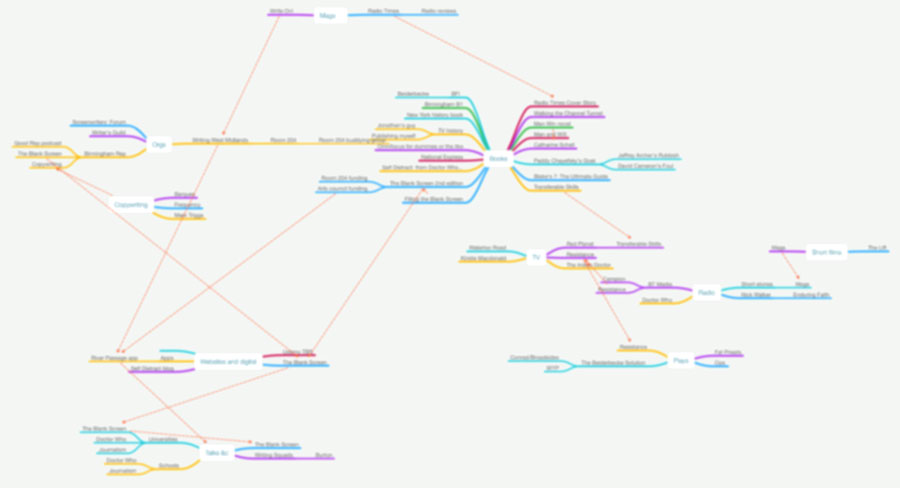
The whole process went well: the mind mapping on to the meeting itself. Enough so that afterwards I tried mind mapping again, this time to figure out what I’m doing with everything, not just this one meeting. I’m still working on it. But it’s proving useful. And while I can’t show you the meeting mind map as it’s naturally confidential, and I obviously can’t show you this new mind map of everything because it’s in progress, I can show you a blurry version. This is what I’m doing now:


map

TED and 17 Camels

I’m at TEDex Manchester – there are 900 people here but if you do spot me somehow, say hello, please – and I’m stealing this excuse to show you my favourite talk from this outfit.

Actually, it’s my favourite opening: I have never watched the whole thing. Each time I try, I get to the end of the opening sequence and think of someone else I want to rush over to with it.

Hello. Let us both agree to watch it all this time but I ask you particularly to give the opening moments a go. It’s the apparently famous tale of 17 camels. Never heard it before this, always try to tell people since, never quite get it right.

So over to William Uru.

Zippy To Do app watches what you do

You would need Primacord explosive wrapped around my waist to get me away from using OmniFocus as my To Do manager but that doesn’t mean it has an exclusive on all good ideas. And it doesn’t mean that sometimes I can be rather tempted. Today that temptation is an iOS app called Zippy and it’s because of what it does besides remind you of tasks.

Zippy is the simplest and quickest way to manage tasks and reminders. It provides you with Insights on your habits to help you get better at managing and completing tasks. Here’s what the infographic shows you:

• How many tasks you’ve completed and how many on time
• Completion breakdown by completed early, on time and late
• How far ahead you plan out your tasks and how close to completion time you finish them
• What time of day you’re best at planning and finishing tasks
• Weekday breakdown of when you create and complete your tasks
• How many times you snooze tasks

Zippy on the App Store

I’m not saying I’d like to be told how long it takes me to do a task – Zippy reports the average time from entering a task to ticking it as done – but I’m terribly curious. Not enough to swap from OmniFocus but enough to be very tempted.

If you fancy it too, get it now. Zippy is on sale for 69p UK or 99c US until 4 March. Get it on the iTunes App Store.