Write down your process for doing things

Write it down now.

A very long time ago, I used to be a computer programmer and there was a culture that documenting what one did was a waste of time. A good coder just got on with it, a good coder didn’t need to leave namby-pamby notes in the code.

That reminds me of how my brother used to refuse to wear a seatbelt because he (believed) he was a great driver. It’s the same level of idiocy and it’s got the same shockingly, overwhelmingly stupid blind spot. If you were this great driver, if you were better than anyone else, that means everybody else is worse than you and they are all on the road heading your way.

Similarly, coders who didn’t believe anyone should document what they’re doing were bollixed when they had to update someone else’s spaghetti of a programme. Talk to me about elegance in coding, talk to me about the language of the very finest programmers, just talk to me about it all later ’cause I’ve got this mess to sort out now.

I’m minded of this for two reasons. The Evernote company blog just said it and said it thisaway:

Whether your business is a one-person shop or a multinational corporation, it’s very likely that you have a number of repetitive processes you go through on a regular basis. Some of these tasks could include preparing reports, submitting expenses, ordering office supplies, or responding to customers. Whether big or small, Evernote is the place to document your processes and maintain consistency.

Save Time by Documenting Processes – Joshua Zerkel, Evernote Blog (27 May 2014)

That’s not really a blog, it’s a sales brochure for Evernote and the full piece goes on to detail just how that software is good for this. But it does sound like it’s good for it, I am convinced.

But I’m really convinced because I helped a friend out with her website recently and it took me quite some time because the things she needed to do I had already done on my own site. I’d just forgotten how I did them.

I got it all working, I figured it out again – it was a WordPress installation, need I say more? – but I wasted a lot of time and actually while I got it working, I didn’t get it working quite the way I’d like. Not quite the way I have it on mine. I just could not find the specific plugins and settings I wanted for her and so I’d had to compromise.

So I’d compromised and it took a long time to get to the point of compromising. If I’d kept a note of what I’d done on mine, we’d have had hers running in a jiffy.

Much as I say about To Do tasks: if you have a complex thing that you do or even a simple thing that you have to do a lot, write down all the steps as if someone else is going to do them for you.

Why bacon sandwiches are loud

A while ago, I wrote my most poetic Self Distract blog post about how bacon sandwiches are loud:

Well, they are, aren’t they? Cucumber sandwiches tell you to be quiet and behave, that you’re in polite company and it’s business, they’re asking if you’ve polished your shoes and they’re warning you not to drink too much. Bacon sandwiches are much better, they’re all about slamming a mug of tea on the table, they’re saying ravenous and parched and that you’ve worked for these.

Bacon Sandwiches are Loud – William Gallagher, Self Distract (1 March 2013)

But usually it’s not the noise of a bacon sandwich that gets your attention, it’s the smell. And according to Time magazine, the American Chemical Society knows why:


Where weather icons come from

As a design student at the Norwich School of Art in the early 1970s, Mark Allen watched the weather broadcast every afternoon on the BBC. Back then, TV presenters slid magnetic symbols around a metal map: dots for rain, asterisks for snow, lines to mark off areas of equal pressure. “They were just hieroglyphics as far as everybody was concerned,” Allen says. “Why was a triangle a rain shower?”

For his final project in 1974, Allen set out to make weather icons more intuitive. He looked to a set of pictograms by Otl Aicher, who devised spare, thick-lined figures for the 1972 Olympic Games. Allen used a similar style to trace a puffy cloud, adding simple icons to the bottom edge: rain droplets, lightning bolts, rays of sun. “The main vehicle was the cloud, and I hung everything off that,” he says. The BBC adopted Allen’s iconography in 1975, in exchange for 200 pounds and a small percentage of license fees. His drawings stayed on the air for 30 years.

Who Made That Weather Icon? – New York Times (23 May 2014)

Nice story about something I have never consciously noticed: how we went from faux Meteorological Office chart symbols to more recognisable ones. Read the full story.

Reeder for Mac now available

This week’s updates to the iOS versions of Reeder have been followed by the first full release of Reeder 2 for Mac. It’s now out of beta and available to buy from the Mac App Store for £2.99 UK, $4.99 US.

It’s an RSS reader: it brings you all the news from any number of websites who have these RSS feeds and that you chuck into Reeder. There are many such services and if they’ve stuck around for any length of time at all, they each have their fans. I’m sufficiently a fan of Reeder, though, that when it was pulled from the App Store last year because Google changes stopped it working, I stopped reading RSS.

Only on my Mac. I couldn’t stop reading it on iOS and I’m not sure now what the chain of events was. I think Reeder lasted longer on iOS but anyway, the iPhone one was updated last September and I so very clearly remember the delight at that coming out while I was on holiday. Learnt about it, bought it, had a really good time getting reacquainted with an old friend in a new design.

Similarly, the iPad version is a pretty constant friend.

But I did miss reading news on my Mac, most especially on those days when I’m here for twelve or fifteen hours. Maybe I should go take screen breaks, but I just used to really enjoy spending a few moments downtime catching up with news. Today, after so very many months without Reeder being available on the Mac, it is again and I’m enjoying it again.

Here’s me enjoying it.

Screen Shot 2014-05-29 at 21.06.48

I’m not going to claim that Reeder is the very best RSS software, I am just going to say that it is the very best for me. And along with OmniFocus, Evernote and Mail, it’s got to be on my machine for it to feel like my machine.


Here’s how Apple’s WWDC keynote will go

june_2014_posterframeSo there was this journalist, right, who complained that Apple took two hours to do its annual Worldwide Developers’ Conference keynote, “exactly like they always do”. He was covering it for somewhere and it was all how dare they do exactly what they always do. If he’d said they took long on certain parts, I’d have agreed. If he’d said he could’ve read all the news in a press release afterwards, I did agree. I just didn’t know why he wouldn’t do that. If you don’t like the keynote and you know it is two hours long, skip it.

I do like the keynotes.

WWDC is for developers and my own development projects are small. But this one speech is always for every Apple user, it is always the same, it is usually good fun and occasionally it is really interesting. I remember wondering how I’d tell Angela that I was definitely going to buy an Apple phone when she came home saying “did you hear that Apple’s making a phone?” We both got one.

But like or loathe the Apple announcements, the one next Monday 2 June at 6pm UK time will go thisaway:

18:00-18:10 “Good morning!” (It’s 10am in California.) “We’ve got some great announcements for you.

18:10-18:25 Statistics about how Apple has been doing since the last keynote. Expect only good numbers. Be sure that you know how Mac sales are up and that maybe more people buy Android phones than iPhones but they don’t appear to be using them much at all. (With graph.)

18:25-18:30 Retail. There’ll be a count of how many Apple Stores there are now or there’ll be something like how many sales were made in total. There will be a video of a new and impressive store with a new and impressive queue of customers lining up outside it on the first day.

18:30-19:00 These half-hour blocks are interchangeable, depending on what Apple wants to emphasise. But a typical one will cover Mac OS X first. It will do it by revealing new hardware then the latest version of OS X. Expect a wacky name to follow “OS X Mavericks”.

19:00-19:30 Again, may swap with either 18:30-19:00 or 19:30-20:00 but a typical one will cover iOS. Specifically iOS 8. There will be a video with designer Jony Ive filmed against a white background.

19:30-20:00 Potentially the most interesting half hour. It can change if there’s something really new to mention about Macs, in which case Mac stuff moves to here. Same with iOS. But this is where newer stuff goes. It’s also the last half hour so if there is to be one of Apple’s near-patented “One more thing” (Columbo is disputing the patent) then naturally it has to be here.

This year Apple is live-streaming the lot on its website here. I won’t be watching. But only because I’m working that evening. Otherwise, I will be tuning in to the recording later and I’ll probably be avoiding reading too many news sites because it genuinely is fun to see the show. Apple presents very, very well. Just watch a Microsoft presentation, preferably with Steve Ballmer, and then contrast it to an Apple one. Regardless of the products being shown, Apple’s presentation works and Microsoft’s tends to be a bit embarrassing.

I have no idea what Apple will reveal or release this year. They do like saying “available today”, which I like too. I like that they don’t very often talk about products that are coming out eventually or that they intend to make, it’s always about what they’ve made now and what you can buy now, if you so choose.

And I will be buying, if you can call it that. There is no question but that iOS 8 and the next OS X will be revealed, if not yet shipping, and both of those will be free. Both of those I will get. Beyond that, I don’t know.

But I do enjoy finding out. Call me a geek, but.

Quickie: Reeder update review

Previously… yesterday the new 2.2 version of Reeder came out and amongst bug fixes and a couple of visual twiddles, the reason to remark was that it added background refresh. (Where instead of my getting the app to add the latest news whenever I open it, the app itself does that continually through the day.) I wondered whether this would work and whether it would make any difference if it did. Now read on.

It worked.

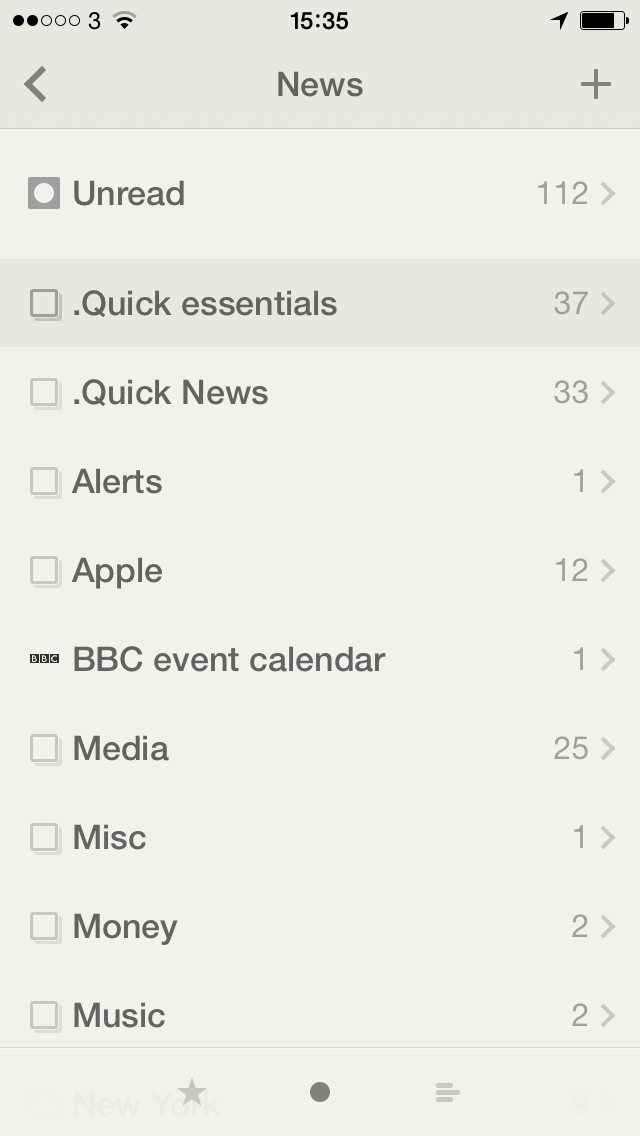
It makes a big difference.reeder

On the one hand it’s slightly disappointing because I’m used to the anticipation of waiting to see if there’s anything new to read and now I just know at a glance. But it’s unexpectedly faster. Logically, rationally, it can’t be saving me more than a few seconds compared to when I would have to wait for it to update in front of me, but it feels faster. Much faster.

I’m also reading more because of it. I find I clear down all the remaining articles and then the next time I pick up my iPhone, there’s an unread news notification. Who can resist?

Reeder for iOS is a universal app (so it’s for both iPhone and iPad) and costs £2.99 UK or $4.99 US. The Mac version is currently still free in beta but the finished and to-be-paid-for version was reportedly submitted to Apple about a week ago.

Microsoft plans Star Trek-style universal translator

Captain Kirk’s flip communicator, check

The USS Enterprise’s warp engines, nope

Transporters, nope

Tablet computers, check

Universal Translator – maybe

In Star Trek, it looks like this:

In the real world, it may yet look like this:

Disclose.tvMicrosoft has invented a working universal translator

That’s from Disclose.tv which shows Microsoft Chief Research Officer Rick Rashid demonstrating speech recognition. We have a lot of that and some of it is very good, but this one aims to recognise the speech and then speak it back in another language. We’re a few years away from it being on our phones, but.

Smart stuff from Gwyneth Paltrow at tech conference

My bad: I knew Paltrow is an actor, I didn’t know she is one of the people behind the lifestyle website Goop.com. Maybe primarily because I hadn’t heard of Goop.com. It’s got more about clothing than I’m interested in – look at me, do I look like I pay attention to clothes? – but there’s travel, recipes and also a related app with travel guides. And Gwyneth Paltrow just spoke at California’s Code Conference about the site, the app and much more.

According to Re/code, she spoke about anonymous internet comments and how it feels to be “a person in the culture that people want to harm”. Read the full Re/code piece for more but I was especially taken with this series of comments about the internet in general and Facebook in particular:

Facebook actually started as a place to judge women on their pulchritude or lack of it. I think it’s kind of fascinating that a company that’s so huge and that would come to define much of the modern Internet was founded on this objectification of human beings.

Celebrities, we’ve always gotten stones thrown at us and, you know, for good reason: We’re annoying. Some of us look okay, we look like we have money, our lives seem great. That may or may not be the case … Nevertheless, we get it. Or, at the very least, we expect that it’s part and parcel to what we do. Anyone in any field who has their head rise above a poppy in the field, they get their heads chopped off. It’s our human nature to feel that way, and to do it. … Everybody takes shit, it’s just the way it is.

Perhaps the Internet has been brought to us as a test in our emotional evolution. What is growth? What is maturity? It’s being able to experience an external event and creating the space within to contain that experience, to see it through the filter of who you really are, to not be reactive. To see someone in a dress you don’t like, and instead of writing from a username like shitebomber207: ‘Who does this fat bitch think she is,’ or whatever, even though you might feel that way, just stopping and saying to yourself, ‘I wonder what this image represents to me that I feel such a surge of anger?’ To love the Internet for what it provides, but to know it’s not real, and it’s sometimes dangerous for our development.

I don’t ever expect my venture Goop.com to contribute and advance the collective code-base or redefine social selling, though don’t count us out. But I expect us to be ourselves no matter what the reaction, to know that it’s okay to be at once irreverent and practical. … And above all, to not give a fuck if the Facebook guys think we’re hot or not.

So JK Rowling writes a book and then she’s a billionaire?

I have no idea whether JK Rowling is a billionaire, I really only know two things about her: she has earned a lot of money – and she earned it. That sounds like one thing but I look at her body of work, I look at the years and the effort and the joy she brought to millions of people, she earned whatever money she has.

But she does get knocked for having apparently gone so very effortlessly from being impoverished to being (is this a word?) poverished. Whatever the opposite of impoverished is. That narks me. I can be sure as onions that she did not go into writing Harry Potter with the idea that it would make her lots of money and thereby feed her kid. Did she dream of it? I hope so: it’s tremendous to achieve one’s dreams. But she wrote that, she did all that gigantic amount of work on top of keeping her family going. I imagine she wrote because she had to. Not in the financial or economic sense but in the artistic one.

I imagine it because I’m a writer too. This is how it is and this is what we do. This is what we do regardless of the results. So long as we can still eat and breathe, we write.

This is the bit where I twist all this into being some kind of life lesson. Actually, I started writing a life lesson and just went off on one about Rowling and how she should be admired more than I think she is. But what started this thought off in me today was this:

One of the most uncomfortable questions customers/clients can throw you is, “how long did it take you to make that?” It’s specific and straight forward enough that not answering or changing the subject would be noticed or come off as rude. It also entirely undermines your work down to just the actual labor part: completely removing the prep, materials, process, and finishing which probably take the most time and energy.

How Long Did that Take you to Make? – 99U

The website 99U was leading in to a story its writers had found on Fine Art Views which grabbed me even more:

Now, right or wrong, here’s what your customers will do. They’ll take the selling price (let’s pick a dollar amount out of thin air – $600) and divide it by the time the artist said it takes to make (three hours). They’ll come up with an hourly rate of $200 an hour.

You may tell people that doesn’t include the cost of acquiring your materials, or prepping, or finishing (frames, framing supplies) or the time schlepping your work to and from shows and exhibitions. It doesn’t include the time and money you spent on educating yourself, nor the time you spent and energy perfecting your craft. It probably doesn’t include the time and energy you spend on applying to shows, marketing, doing paperwork, or cleaning your studio. And if you have gallery representation, you’re actually only netting half that amount.

Nope, they won’t hear that. They may nod their head, but they’re still thinking, “$200 an hour…that’s $400,000 a year!!”

Questions You Don’t Have to Answer – Luanne Udell, Fine Art Views (27 November 2011)

I’m asked how long Doctor Who radio dramas take me, I’m asked that quite a bit. And when I answer, that’s the kind of reckoning you can see going on in the asker’s head. I expect you can see it going on in mine when I ask it about things too.

But you notice the difference in the article names. The 99U one is just the question whereas the Fine Art Views one I lopped off half. The full title of that piece is “Questions You Don’t Have to Answer: How Long Did that Take you to Make?”. But I lopped it for space, because I knew I’d be telling you it in full here, and also because I want to focus on the bit I left. You don’t have to answer the question.

Yes, you do.

No, you don’t.

If you answer it you get into that cycle and nobody’s happy. Not you who spent your life creating something, not the asker who thinks you spent twenty minutes and have no idea what a real job is like, you bastard.

If you don’t answer it, the asker goes straight to the you bastard bit.

But what Udell is saying is that you don’t have to answer it that way. You don’t have to really recognise the question, you just need to respond to it:

Now, ‘not answering’ doesn’t mean you stand in stony silence. It simply means you can start talking about your work, and engaging them, without actually tallying up all the steps it takes to make your work.

I love it. I’m having that.

How long does it take to write a Doctor Who radio drama? I’m so pleased you asked. Take a seat, let’s get the kettle on, I’ve got so much to tell you.

Tweet in your sleep

This came up at a couple of recent The Blank Screen workshops: how to send tweets or Facebook messages when you’re not around. Both times it came up, it was evil people who’d just learnt I start work at 5am and they wanted to send me a tweet to check. But weren’t so keen or so evil that they wanted to be up at that time.

If you have nicer reasons to do it, try one of these two possibilities:

HootSuite
Free for personal use hootsuite.com
Log in once to Twitter, Facebook, Google+, LinkedIn and/or Foursquare and write a message for it to send to any or all of them whenever you tell it to.

Buffer
A free iOS app and a free website – buffer.com – doesn’t have Foursquare, so far as I can tell, but does the others easily and reliably.

I use Buffer for my personal Self Distract blogs that I write and publish on Friday mornings. The first tweet is live but then I always intend to send another one around lunchtime. And then that evening. And a last one the following Monday. Buffer lets me write the lot one after another and know that it is being sent for me at the time I say.

I do this because I regularly forget to send the tweets live. Now I regularly forget that they are going to be sent live and I suddenly get a unexpected notifications of retweets from the various tweets Buffer has sent for me.