Very un-snap review: Fuz Designs’ Everdock

I need a term for a review that isn’t a snap, instant first-impression one. I’ve now had two Everdocks by Fuz Designs for four months and they’re the first iPhone/iPad charging stands I’ve had that worked as advertised. Two minutes ago I pulled my iPhone out of it and realised I’m a fan, I have to tell you all about it.

Here is the dullest video in the world: you won’t make it through the whole minute, it’s that soporific, but it tells you and it shows you that this is one dock that can take everything you’d imagine:

Now you’ve got the idea, please go be impressed by the proper videos on the Fuz Designs website.

That’s the video that made me back this when it was but an idea on Kickstarter. (Full and frank disclosure: I have only ever backed two Kickstarter projects: this and the Veronica Mars movie which I am ecstatic to say opens in cinemas this week. Yes, I already have my ticket for the first performance in my town.)

Veronica Mars ticket prices vary, check local press for details – but do it quickly as the movie’s getting only a limited release – but Fuz Designs’ Everdocks start at about $50.

Get your ideas here

Brain Pickings reports on Neil Gaiman's thoughts about creativity:

For me, inspiration comes from a bunch of places: desperation, deadlines… A lot of times ideas will turn up when you’re doing something else. And, most of all, ideas come from confluence — they come from two things flowing together. They come, essentially, from daydreaming… . And I suspect that’s something every human being does. Writers tend to train themselves to notice when they’ve had an idea — it’s not that they have any more ideas or get inspired more than anything else; we just notice when it happens a little bit more.

Neil Gaiman on Where Ideas Come From

Maybe software never really dies

Previously… last month I found a backup CD from 2002 which included what I then believed were mandatory applications for my Mac. Some surprised me as I can’t ever imagine thinking Microsoft Outlook is mandatory, but I did have a huge rush of nostalgia for what was once my calendar and address book: Now Up-to-Date and Contact.

Now Up-to-Date and Contact

Oh, now, these I miss. These I’d be using today if I could. It was actually a pair of applications: Now Up-to-Date was a Calendar and Now Contact was an address book. I remember they worked together very well and that every time I’ve tried an calendar or address book since, I’ve been judging it against these two. If I imagine I would’ve held on to WordPerfect for as long as I could, I know I wouldn’t have given up NUDC willingly. But times move on, hardware and operating systems move on, you can neither buy NUDC now nor run it on any current machines. It’s a loss. Mind you, I’m no longer the power user I was for calendars so the one that comes on my Mac is fine enough for me. Especially as OmniFocus, my current beloved To Do manager shows you today’s tasks along with a peek at the calendar for today’s events. So useful. But I’ll raise a mug of tea to NUDC tonight.

The Blank Screen: Mandatory Applications from a Decade Ago (20 February 2014)

I did. And then put it all out of my mind – until this week’s MacPowerUsers podcast featured a calendar application called BusyCal. I’ve heard of this and never looked at it. Even when I was actively searching for a replacement to Now Up-to-Date and Contact, somehow I didn’t try BusyCal. And MPU’s David Sparks mentioned on air that BusyCal was from the original makers of NUDC.

That probably means I met them. I remember covering the launch of the Windows version of Now Up-to-Date and being very disappointed. I asked the people about its missing features and they said that they were coming. Actually, I remember them saying I must be a power user and I’m embarrassed to say I liked that. I was young. But over the next few years the company did add features to both the Windows and Mac versions yet somehow, it all stopped being quite so crucial. I’d love to know the sequence of events and who went where but all I’ve found out is that Now Software was bought and the original developers went on their way.

And their way brought them to BusyCal.

I installed the trial version last night. It is the freakiest thing. It’s an entirely new app but it looks and feels like Now Up-to-Date did, at least so far. The icons don’t really match yet they feel as if they do. And it has the one feature that I most craved when I was searching for a replacement: the ability to see all your To Dos in the calendar itself. Right within each day. I used to love seeing how full the calendar got and in particular how multi-coloured it got with different categories and calendars and so on.

I switched that off in the first five minutes last night. I switched off a view of To Do lists in the first five seconds. To Dos now live in OmniFocus and they have no place in my calendar. Strange how totally one can change one’s mind.

It’s going to be interesting to see whether I switch off other features too. Right now I feel I’m wallowing in an unexpected nip back in time; I’ve got thirty days on the trial version to see whether it really still belongs in my vastly more productive life.

RTFM*

I use OmniFocus 2 for iPhone every day. Close to every hour. And still I’ve just learnt some things I didn’t know – because the Omni Group has posted a short manual to the iBooks Store here.

Mac software tends to work the way you expect it to, so I don’t often look further than what I can figure out as I go. But I should know better because I used to write some of these manuals. Not all that many and so long ago that I can still remember how gorgeous bromide proof pages looked – and how rubbish final printed manuals looked in comparison. But simplicity is a very hard-won feature in software and if you lean on something a lot, it’s worth seeing what else is hidden behind the simple surface.

Consequently I’m now also reading the Omni Group’s OmniOutliner manual on the iBooks Store.

*This used to be a very familiar term when I was briefly a technical author: Read the Fucking Manual.

Mixing sound and vision to get the full picture

I’m a very visual kind of man but, awkwardly, what I visualise is text. I can see words. If you and I are talking, I can choose to see your words as text. Squint a bit and there it is, word by word, white text on a black background, right in front of my eyes. It’s great for transcriptions. But text is so much a par of me and I am so much a writer through and through that I have ignored other visual ways of looking at detail. Okay, maybe I can see scenes visually when I’m reading or writing a script, but when faced with a problem, I used to always just think it through. More recently, I’ve written it down and thought it through.

But then last week, I had a meeting that was intentionally nebulous. It was clearly a chance to pitch something, but I didn’t know what and I was fairly sure that there were no specifics behind the invitation either. It would be up to me and what I could bring to the meeting.

And I mind-mapped it.

Slapped down everything I could think of that even considered crossing my mind in the week before the meeting. I used MindNode for iPad (£6.99 UK, $9.99 US) so it was with me wherever I went and by the morning of the meeting, I had a completely useless mess. But it was a big mess. Lots of things on it. And I started dragging bits around. This stuff sorta, kinda belonged with those bits over there. This one was daft. That one was actually part of my shopping list and I’d just put it in the wrong app.

And then I’d find one that ignited another small idea so I’d add that.

After a bit of adding and subtracting and moving around, I had three or four solid blocks of ideas that were related. I exported the lot from MindNode to OmniOutliner for iPad (£20.99 UK, $29.99 US) which picked it all up and showed it to me as a hierarchy of text lines instead of a visual bubble of blogs. I work better with text, I may have mentioned this, so that was perfect for me.

Nearly perfect. I really wanted to then hand the lot on from OmniOutliner to OmniFocus, my To Do manager, (iPad £27.99 UK$39.99 US). I wanted to be able to tick off the ideas as I got through them in the meeting. I wasn’t able to do that on the iPad; I suspect that it’s something that needs me to use OmniOutliner on my Mac (from £34.99 UK, from $49.99 US). I’ve got that and I use it ever increasingly more, but I wasn’t at my office.

So instead I stayed with the text in OmniOutliner. Made some more changes and additions, moved some more things around. And then I worked from that list in the meeting and it went really, really well.

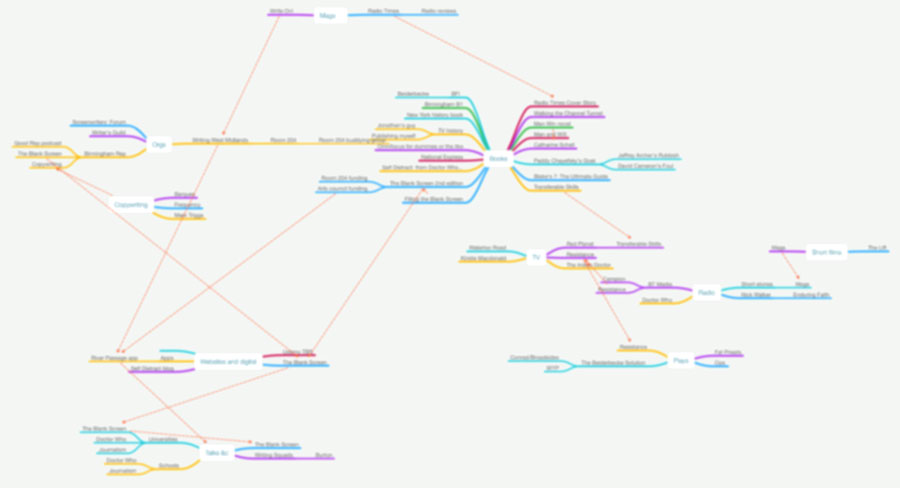
The whole process went well: the mind mapping on to the meeting itself. Enough so that afterwards I tried mind mapping again, this time to figure out what I’m doing with everything, not just this one meeting. I’m still working on it. But it’s proving useful. And while I can’t show you the meeting mind map as it’s naturally confidential, and I obviously can’t show you this new mind map of everything because it’s in progress, I can show you a blurry version. This is what I’m doing now:


map

That was February 2014

Previously… For the last year I’ve been on Room 204, a programme from Writing West Midlands, and through a fairly complete misunderstanding, I believed they wanted me to report about what I’d done each month. They didn’t. It’s not like they didn’t care or didn’t want to know, but there are limits, you know? Like as in hours-in-the-day. But they were so nice about getting these reports that I kept sending them. (Suckers.) And then after a little while I found I was becoming a bit dependent on writing them.

It got so I would stress and underline to Room 204 that they needed even glance at this stuff, but I needed to write it. If you asked me today about February, I’d say it was a quiet and a short month and that’s about it. But when you work it out and specifically when you make notes during it so that you can later work it out, it’s much more encouraging. You feel at least you may not have wasted the entire time.

I sent the report to Room 204 at Writing West Midlands a moment ago. Next month is the final one but I’m hoping to use you to get me the same effect. So beginning with That was January 2014, I’m doing the same job.

Or at least a similar job. I have to sanitise it a bit because this is a family show and because so much of the work is confidential. Worse: if I write down here that I’m in talks to script the sequel 13 Years a Slave and then it never comes out, you’ll just look at me like that.

So with those provisos and with the very big proviso that, seriously, you don’t need to glance at this, I just needed to write it, this is how my February went.

Writing (approximately 27,495 words):

Wrote three new radio short stories totalling 5,170 words and submitted two of them to producers
Revised novel, now with Paul the Agent Guy
Wrote 50 posts in The Blank Screen blog (which takes me to 200 since late November) – total of 18,440 words
Wrote 4 Self Distract blog posts totalling 3,755 words (and got favourited by Suzanne Vega on twitter)
Planning second edition of The Blank Screen book
Rewrote The Blank Screen presentation into 2.5-hour version
Revised novel Transferable Skills and submitted to Amazon Breakthrough Novel Award
Reviewed BBC Radio 4’s Pride and Prejudice part 3 for Radio Times (130 words)

Workshops and meetings and performances:
Led Burton Young Writers group for February
Worked with around 120 kids from Golden Hillock School at the Library of Birmingham
Did The Blank Screen at Newman University (which then tweeted: “Many thanks to @WGallagher for a fab session in our EN617 creative writing module. Absolutely brilliant life-changing advice! Oh and fun!”)
Attended Reading Lives
Attended Poetry at Lunchtime in Library of Birmingham
Attended Moon Over a Rainbow Shawl at the Birmingham Rep
Chaired Screenwriters’ Forum meeting
Got a guest speaker for Screenwriters’ Forum meeting (with help)
Attended Writers’ Guild meeting as secretary
Pursued getting guests for Guild events
Postponed women in theatre event to May – my decision and Guild went along with it
Worked with the RTS at Stuart Bathurst School (paid)
Birmingham Press website called me “acclaimed Dr Who script writer William Gallagher” after January’s RTS work
Attended An August Bank Holiday Lark, Northern Broadsides, New Vic Theatre
Attended iFeatures launch and workshop; recorded it for Screenwriters’ Forum Facebook page
Attended Yasmin Ali’s Write Away play performance

Other:
An entry from The Blank Screen blog was picked up and circulated by the Evernote Daily News
An entry from The Blank Screen picked up and retweeted by Zippy productivity app company
Interview request: From Croydon to Gallifrey podcast (scheduled for March)
Produced one-minute audio submission for Mac Power Users podcast
Invited to contribute to Nina Lewis’s online Writers’ Retreat in October
Produced and shot a video for my mother explaining how to use email on her iPad
Asked by Jeff Phelps to contribute an entry to the Blogging Tour (to go live 3 March)
Got three other writers to do it too

Continued writing buddying system; February’s buddy reported: “My writing output this month has doubled this month, just by association with your work-ethic.”

Liaising over music in River Passage poetry app
Pursuing funding and funding advice re app and including pitching related events

Pitches:
Pitches: 16
Success: 10
Rejections: 2
(the rest ongoing, as are many from January; I just have to stoke the fire every now and again)

ENDS
TED and 17 Camels

I’m at TEDex Manchester – there are 900 people here but if you do spot me somehow, say hello, please – and I’m stealing this excuse to show you my favourite talk from this outfit.

Actually, it’s my favourite opening: I have never watched the whole thing. Each time I try, I get to the end of the opening sequence and think of someone else I want to rush over to with it.

Hello. Let us both agree to watch it all this time but I ask you particularly to give the opening moments a go. It’s the apparently famous tale of 17 camels. Never heard it before this, always try to tell people since, never quite get it right.

So over to William Uru.

Beat the afternoon slump

This is a big thing with me: I write from 5am weekdays and come 3pm or so I am starting to feel a bit tired. Feeble, really, but there you go. I’m being honest. And now I’m being hopeful too, because:

There are many reasons for feeling the mid-afternoon dip. According to a study by Gallup, 40% of Americans don’t get enough sleep. Getting enough sleep is a cornerstone habit that has many positive effects, mental and physical performance improvements among them. If you’re notgetting enough sleep, your brain is not functioning optimally.

Research also points to our circadian rhythms as a cause of mid-afternoon tiredness. Ourmental performance ebbs and flows throughout the day:

What you ate at lunch also has an effect. Food coma is a real phenomenon, and when you eat crap, you’ll probably feel like crap. You could also just be drained after a full morning of tough meetings and debates with your team. Willpower is a finite resource; we all start with a certain amount every day, and it diminishes with every decision or choice we make.

Whatever the reason for your lack of afternoon focus, let’s look at some research-backed lifehacks to help break out of the daily slump and finish your day strong.

Why We Procrastinate the Afternoon (and How to Stop) – Lifehacker

So there’s some research about it, which means we’re not alone. And then there are some solutions, which mean you’ve stopped reading and are already gone to Lifehacker. See you there.